

No matter which MacBook you have, we don’t doubt that it cost you a pretty penny – and then there is the value of the information stored on it. You can protect against scratches or drops with a case, and you can protect its screen using a screen protector, but what about securing your MacBook from theft?
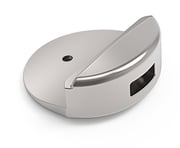
Maclocks’ unique lock adapters will prevent casual thieves from swiping your MacBook from your table or workspace. While most laptops come with integrated Kensington security slots, MacBooks don’t, so it’s important that you get a lock that is made specifically for your Apple product.
Let’s explore securing your MacBook with a lock and what these locks can do for you.
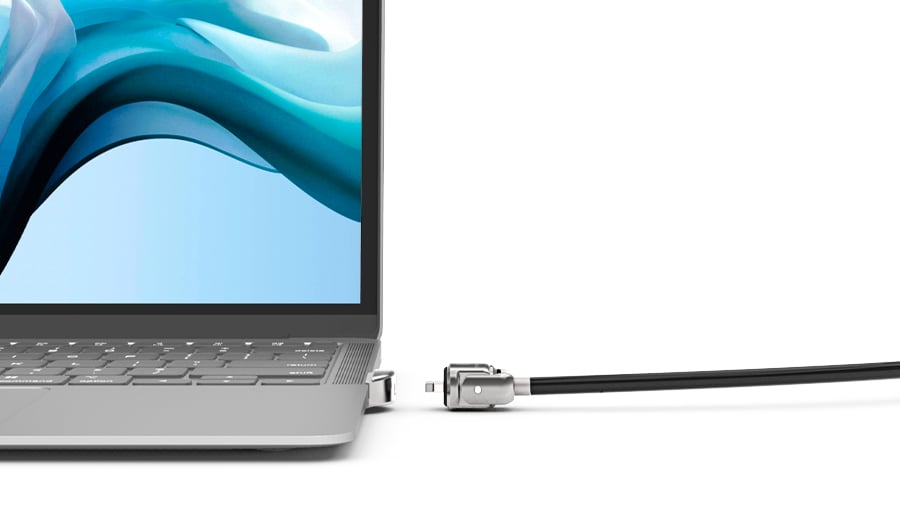
Maclocks is a company that produces Kensington-style locks specifically for the thin body of the MacBook Air, and their product is compatible with all Air models. In essence, these locks are adapters that attach to the bottom of your MacBook Air to create a security slot. Once you have attached this adapter to your Air and lock the security cable into its slot, potential thieves will not be able to remove the lock without also damaging the MacBook.
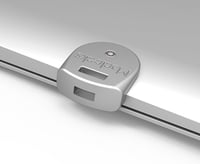 One great thing about this Maclocks lock is that it creates a standard security slot, which means that it will be able to work with any cable lock system, a huge bonus for anyone who already owns a lock.
If you don’t have one of these locks already, don’t fret - Maclocks’ bundle comes with both the security adapter and the lock that keeps your MacBook protected. It’s a very affordable option for adding security to your MacBook and one that we recommend to anyone who has one of these very valuable devices.
 Sure, Apple has some of the most robust security technology built into just about every one of their devices, but if a thief is smart enough, they will be able to bypass this security and gain access to any and all information that you have stored on your Apple product, including your MacBook. This means that any banking information, emails, phone numbers, and other sensitive information will be at their fingertips, and there’s really nothing you can do about it.
Of course, a thief would never be able to gain access to this information if they weren’t able to take your MacBook in the first place. This is where using a physical lock, like the product offered by Maclocks, comes in useful. Physical locks prevent the MacBook from being stolen.
This is a fantastic security measure, especially for anyone who stores any sensitive information on their MacBook. It is an extra layer of security that can make the difference between keeping your information safe from criminals and them getting their hands on it.
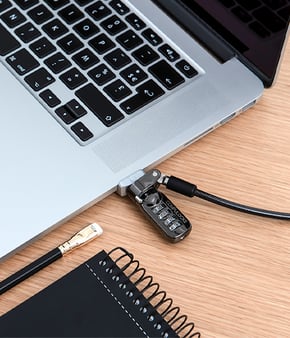
We all lead extremely busy lives, and these days, it is easier than ever to forget important things - our keys, wallets, phones, and of course, our laptops. You might be working in your favorite coffee shop, replying to emails, drafting documents, and signing papers. You get up to pay for your order and leave the store, totally forgetting that your MacBook is still at the table.
Of course, forgetfulness is not the only reason that MacBooks end up getting stolen. You might be sitting and working in a library, studying for an exam, or doing research for a paper. You get up to find a book that you need, you find it, and when you go back to sit down, you find that your MacBook is nowhere to be seen - it’s been stolen and is now being accessed.
This is the importance of locking up your MacBook physically. Even if you don’t have any sensitive information on your laptop - which is not the case for most people - MacBooks are extremely valuable, and it would not be a challenge for any savvy thief to sell them for a huge profit.
Hurry up and enjoy our Back To School Sale!
Choose the lock that fits your MacBook on our website



